





02 Feb Complete SEO Audit: How to Do It and Essential Tools
Index of contents
When it comes to improving a website’s performance in search engines, one of the most essential and effective actions is to carry out a complete SEO audit. This allows you to identify key aspects that affect rankings, optimize the site, and fix issues to improve visibility and attract more organic traffic.
What Is an SEO Audit?
An SEO audit is an in-depth analysis of your website that evaluates all the factors that affect its performance in search engines. The goal is to identify potential issues that prevent your pages from ranking properly in Google and other search engines. These issues can be related to content, site structure, loading speed, internal links, link-building practices, and more. 
Why Is It Important to Perform an SEO Audit?
Conducting a regular SEO audit is essential because:
- It improves performance: It detects technical issues that affect user experience and site performance.
- It boosts visibility: It helps your website rank higher, increasing the chances of attracting organic traffic.
- It identifies critical errors: It helps detect indexing issues, broken links, or duplicate content problems that can harm your rankings.
Steps to Perform an SEO Audit
Conducting an SEO audit doesn’t have to be complicated if you follow the right steps:
- Check indexation: Make sure search engines are indexing your site correctly. You can use tools like Google Search Console to detect issues or find out if an important page is being ignored.
- Evaluate your site structure: Your website’s structure plays a major role in how easily search engines crawl and understand your content. Ensure navigation is intuitive and URLs are SEO-friendly.
- Check internal and external links: Links are essential for improving page authority. Analyze internal links to ensure consistent linking. Also, review external links to make sure none are broken.
- Review your content: Content is still the true king of SEO! Make sure your content is high-quality, relevant, and well structured. Review keyword usage and optimization in title tags and meta descriptions.
- Analyze site speed: Loading speed is a crucial factor for SEO and user experience. Use tools like Google PageSpeed Insights or GTMetrix to identify areas for improvement.
- Check mobile compatibility: Make sure your site is responsive and works properly on mobile devices, as Google prioritizes mobile-friendly websites.
Tools to Perform an SEO Audit
There are several tools available to help you conduct an effective SEO audit. Some of them include:
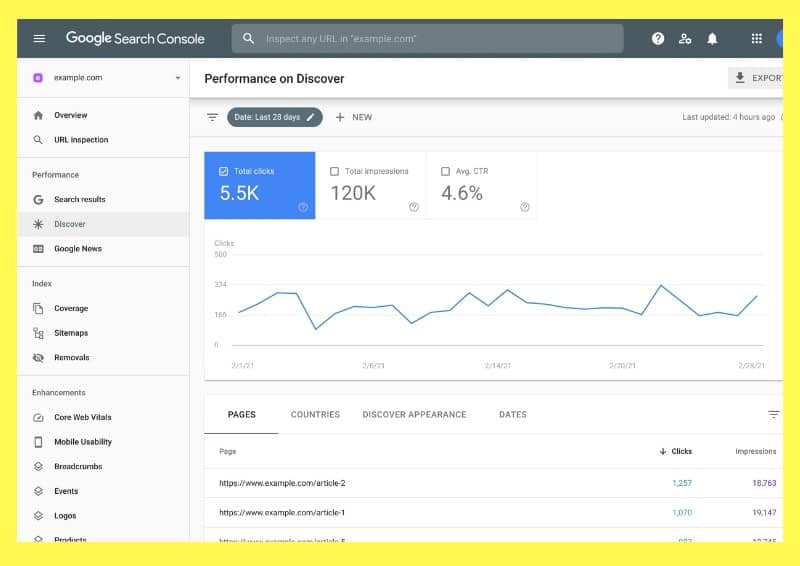
- Google Search Console: An essential tool for monitoring your website’s performance in search results and identifying indexing issues.
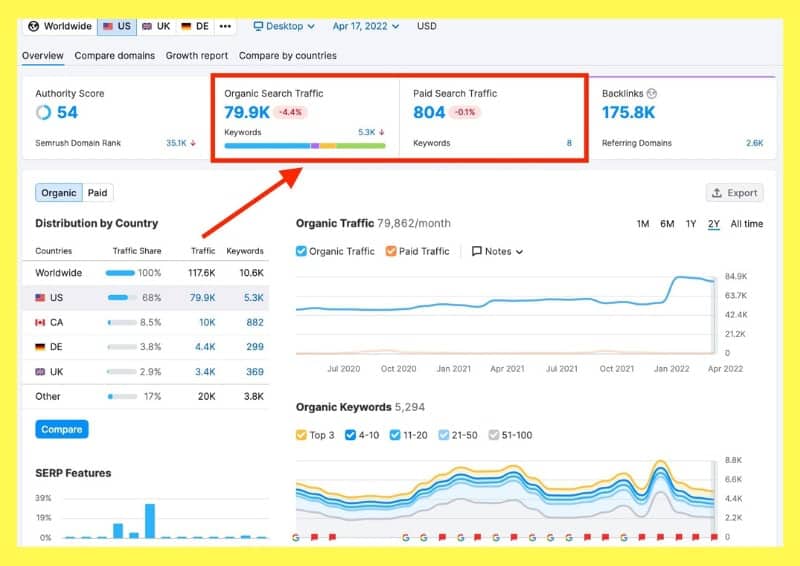
- SEMrush: Provides a complete SEO analysis including backlink audits, keyword performance, and technical website reviews.
- Ahrefs: Ideal for full SEO audits, especially for analyzing link quality and competitor performance.
- Screaming Frog: A technical tool that crawls a website to identify issues related to site structure, metadata, duplicate content, and more.
- Moz: Offers easy-to-use tools for SEO audits, keyword analysis, and performance tracking.
Tips to Improve SEO After an Audit
Once the SEO audit is completed, it’s important to implement recommendations and fixes.
- Optimize images: Make sure images are compressed and properly tagged with alt attributes.
- Remove duplicate content: Review your content to eliminate duplicates and improve relevance.
- Improve user experience: Ensure your site is easy to use and navigate, with fast load times and an attractive design.
SEO Experts
We know that performing an SEO audit can feel overwhelming: data, tools, technical errors… But don’t worry — at our digital marketing agency we take care of everything.
We analyze your website thoroughly, identify what’s holding it back, and give you a clear action plan so you can attract more visitors and clients.
If you’re ready to stop missing opportunities and start climbing positions, send us a message and we’ll do it together. Your website (and your business) will notice the difference! 🙂
About The Author

No Comments